
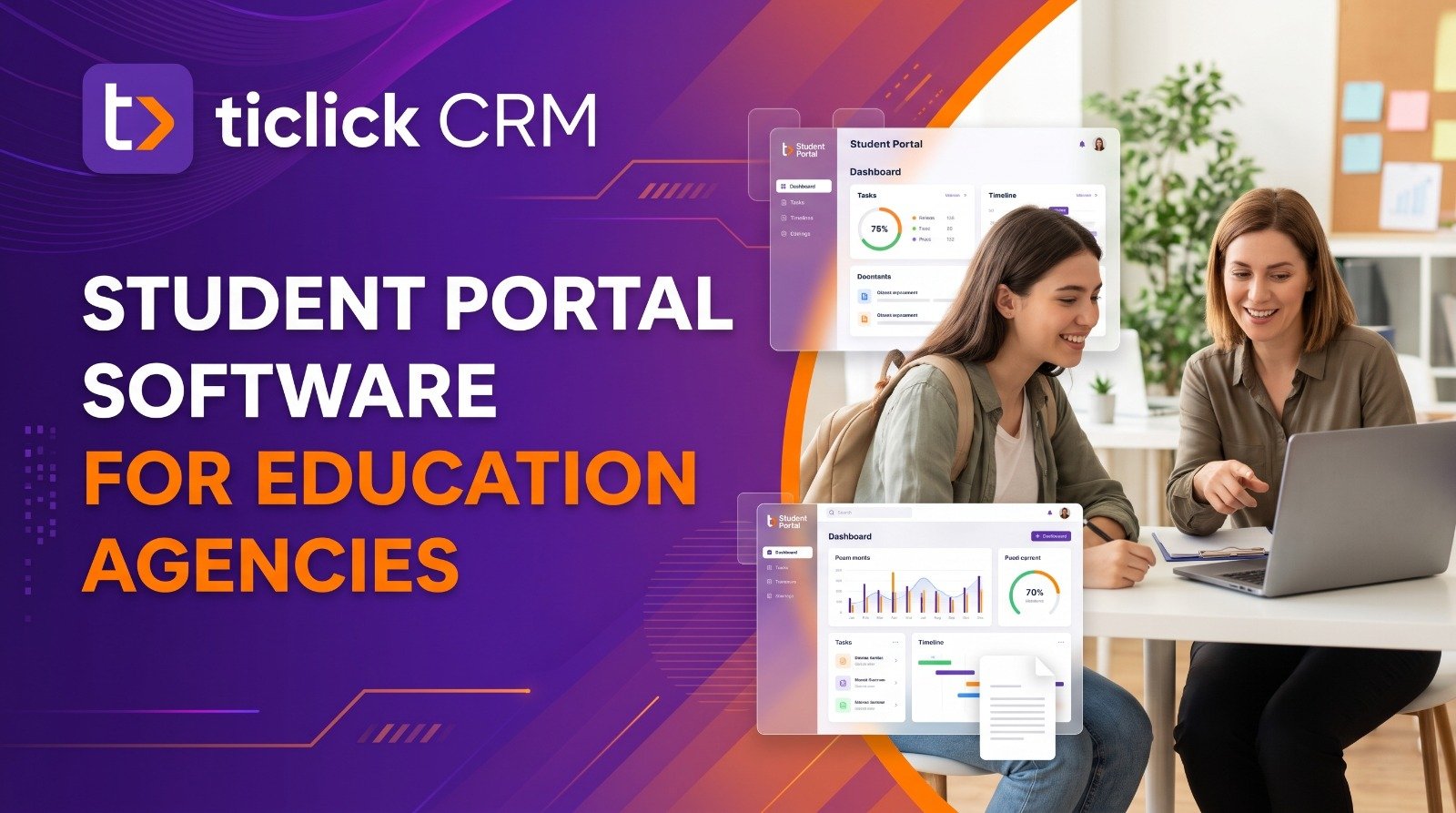
Managing student applications involves far more than collecting documents and submitting forms. Education agencies must coordinate with students, track application progress, manage deadlines, and ensure that every applicant understands what needs to happen next.
As the number of students increases, keeping everyone informed becomes more challenging.
A student might contact their counselor to ask whether an application has been submitted. Another may need to confirm which documents are missing, while someone else wants to know whether their university has issued an admission decision.
When these questions are handled through separate emails, WhatsApp conversations, and spreadsheets, counselors can spend a significant part of their working day providing updates instead of helping students move forward.
Student portal software for education agencies offers a more organized approach.
By giving students access to a dedicated online platform, agencies can make application information, document requirements, and important updates easier to access. Instead of contacting their counselor for every routine question, students can review the information available to them and complete relevant tasks independently.
When connected to a student recruitment platform such as Ticlick CRM, a student portal can also help agencies maintain consistent records and coordinate activities between students and internal teams.
This guide explores how student portal software works, the features that matter most, its benefits for education agencies, and how to choose a solution that supports both operational efficiency and the student experience.
What Is Student Portal Software for Education Agencies?
Student portal software for education agencies is an online platform that allows students to access information and complete tasks related to their education applications.
Depending on the software, students may be able to update their personal information, upload documents, review application progress, receive notifications, and communicate with their education counselors.
The purpose is to create a structured digital environment where students can manage relevant parts of their application journey without relying entirely on manual communication.
For study abroad agencies, this is particularly valuable because international applications often involve several stages, multiple documents, and deadlines that vary between universities and programs.
How Does a Student Portal Work?
A student portal generally connects students to information maintained by an education agency.
After receiving access, students sign in using their credentials and view a personalized dashboard.
The dashboard may display their application status, outstanding requirements, uploaded documents, upcoming deadlines, and other information made available by the agency.
For example, a student applying to a university in Canada might log in to check whether their academic transcript has been received.
If the transcript is still missing, the portal may allow the student to upload the document directly.
Once submitted, the counselor can review it and update the relevant record.
This creates a more structured process than exchanging multiple email attachments or searching through message histories.
The exact workflow depends on the features and permissions supported by the chosen platform.
Who Uses a Student Portal?
A student portal serves several groups involved in the recruitment process.
Students use it to access application information, submit documents, and review outstanding tasks.
Education counselors use the connected management system to review student information, monitor applications, and coordinate follow-ups.
Admissions and operations teams may use the platform to verify documents, manage application stages, and organize administrative requirements.
Agency managers benefit from more consistent records and better visibility into student-related operations.
Although students interact with the portal directly, its value extends to the employees responsible for supporting them.
Student Portal vs. Student Recruitment CRM: What’s the Difference?
A student portal and a student recruitment CRM are closely related, but they serve different purposes.
A student recruitment CRM is primarily designed for the agency’s internal team. It helps manage leads, student records, counselor assignments, applications, communication, and recruitment workflows.
A student portal is the student-facing environment. It gives applicants access to selected information and allows them to complete permitted activities.
| Feature | Student Portal | Student Recruitment CRM |
| Primary users | Students | Counselors, admissions teams, and managers |
| Main purpose | Student self-service and application visibility | Internal recruitment and student management |
| Student information | Displays permitted information | Maintains broader student records |
| Document management | Student uploads and access | Internal review and organization |
| Application tracking | Student-facing progress updates | Detailed workflow management |
| Communication | Student enquiries and updates | Team communication and follow-ups |
| Reporting | Usually limited student-specific information | Operational and recruitment reporting |
The two systems work particularly well together when student actions in the portal are reflected in the agency’s internal records.
Why Do Education Agencies Need Student Portal Software?
Education agencies operate in a communication-intensive environment.
Students need guidance, reassurance, and timely information. Meanwhile, counselors must manage multiple applications, university requirements, and administrative responsibilities.
Without a centralized student-facing system, even simple requests can create unnecessary work.
Reduce Repetitive Student Enquiries
One of the most common challenges for education counselors is answering the same types of questions throughout the day.
Students frequently ask:
- Has my application been submitted?
- Which documents are still missing?
- Has the university responded?
- What should I do next?
- When is my next deadline?
These are reasonable questions, but answering them individually can consume valuable time.
A student portal gives applicants a place to review available information independently.
Counselors can then spend more time on questions requiring professional guidance.
Improve Transparency Throughout the Application Process
Students may feel uncertain when they do not know what is happening with their applications.
A portal can provide greater visibility into the stages managed by the agency.
For example, a student may be able to see whether an application is being prepared, awaiting documents, submitted, or updated following an institutional response.
Clear status information helps students understand progress without requiring constant follow-ups.
However, agencies must ensure that displayed statuses are accurate and do not imply that a university has made a decision before official confirmation is received.
Simplify Document Collection
Study abroad applications often require academic transcripts, identification documents, language test results, recommendation letters, and other supporting materials.
Collecting these files through email or messaging applications can create organizational difficulties.
Documents may be submitted more than once, stored in different locations, or attached to the wrong conversation.
A student portal with document management capabilities allows students to submit files through a structured process.
This makes it easier for authorized employees to locate and review the relevant information.
Keep Students Informed About Application Progress
Students may apply to multiple institutions with different requirements and timelines.
A portal can organize application-related information in one accessible location.
Instead of relying entirely on messages from their counselor, students can review the latest available updates.
Improve Communication Between Students and Counselors
A portal does not eliminate the need for personal communication.
Instead, it can make communication more focused.
When routine information is already available, students can contact their counselors about specific concerns rather than requesting basic status updates.
Support Agency Growth
As an education agency expands, managing student information through disconnected tools becomes increasingly difficult.
A centralized portal helps establish consistent processes for document submission, application updates, and student communication.
This can support larger student volumes without requiring every administrative activity to be handled manually.
10 Essential Features of Student Portal Software for Education Agencies
Not all student portals offer the same functionality.
Some provide basic access to student information, while others support document management, application tracking, payments, and communication.
When evaluating student portal software for education agencies, the following features deserve particular attention.
1. Secure Student Login and Profile Management
Students need a secure way to access their personal information.
A portal should provide individual accounts and appropriate authentication controls.
Depending on the platform, students may also be able to review or update selected profile details.
Why it matters: Accurate student information is essential for preparing applications and maintaining reliable records.
Practical example: A student updates their contact information through the portal rather than sending the new details to several employees.
Sensitive changes should be subject to appropriate verification and permissions.
2. Application Status Tracking
Application tracking is one of the most valuable features of a student portal.
Students should be able to understand the current stage of their applications without requesting an update each time.
Useful statuses may include:
- Application in preparation
- Documents required
- Ready for submission
- Submitted to institution
- Awaiting institutional response
- Offer received
- Enrollment requirements pending
These labels should reflect the agency’s actual workflow.
Why it matters: Clear application tracking helps students understand progress and identify when action is required.
3. Document Upload and Management
Document management allows students to submit required files through a centralized interface.
Depending on the system, the portal may also display which documents have been received, reviewed, or rejected.
Why it matters: Structured document collection reduces reliance on scattered attachments and helps counselors organize application requirements.
Practical example: A student uploads a language test certificate, and the counselor reviews it before the application proceeds.
4. Personalized Student Dashboard
A personalized dashboard gives students an overview of the information most relevant to them.
This may include current applications, outstanding tasks, recent updates, and upcoming deadlines.
Why it matters: Students can identify their priorities without navigating multiple pages or contacting the agency for basic information.
A useful dashboard should emphasize actions that need attention rather than displaying unnecessary data.
5. Task Lists and Application Checklists
University applications involve numerous requirements.
A student portal should ideally help applicants understand which tasks are complete and which remain outstanding.
For example, a checklist might include:
- Complete personal information
- Upload academic transcripts
- Submit language test results
- Review application details
- Confirm required declarations
Why it matters: Checklists turn complex processes into manageable steps.
They also help students understand what is expected of them.
6. Notifications and Deadline Reminders
Students may need reminders about missing documents, appointments, or approaching deadlines.
A portal can support notifications that draw attention to relevant requirements.
Some platforms also integrate with email, SMS, or WhatsApp communication tools.
Why it matters: Timely reminders can help students stay organized and reduce repetitive manual follow-ups.
The effectiveness of reminders depends on accurate dates, appropriate timing, and communication preferences.
7. Communication With Education Counselors
Students sometimes need clarification that cannot be provided through a status update or checklist.
A portal may offer messaging or communication features that allow students to contact their assigned counselor.
Why it matters: Connecting communication with student records can make conversations easier to manage.
Agencies should still provide suitable channels for urgent or sensitive enquiries.
8. Program and University Information Access
Students benefit from having relevant program information available throughout the application process.
Depending on the platform, a portal may display selected program details, institutional requirements, or application-related information.
Why it matters: Students can refer to important details without repeatedly requesting the same information.
Agencies must ensure that program information is kept current and verified against official institutional sources.
9. Payment and Invoice Visibility
Some student portals allow applicants to view invoices, payment schedules, and outstanding balances.
This can be useful for agencies that charge service fees or manage installment payments.
Why it matters: Students gain a clearer understanding of their financial obligations.
However, payment visibility should not be confused with full accounting functionality.
Agencies should verify the financial features supported by the platform.
10. Integration With Student Recruitment CRM
A student portal becomes more valuable when it connects with the agency’s internal recruitment system.
For example, a document uploaded by a student should be available to the authorized employee responsible for reviewing it.
Similarly, an application status updated by the agency should be reflected in the student-facing environment when appropriate.
Why it matters: Connected workflows reduce duplicate data entry and improve consistency between student and counselor records.
How Does a Student Portal Work? A Step-by-Step Example
Consider a student named Sarah who wants to apply for a master’s program abroad.
She has contacted an education agency and completed an initial counseling session.
The agency now needs to collect her documents, prepare the application, and keep her informed.
Here’s how a connected student portal can support the process.
Step 1: The Agency Creates a Student Account
After the initial registration process, the agency creates or activates Sarah’s student account.
She receives the information needed to access the portal securely.
Step 2: The Student Completes Their Profile
Sarah logs in and reviews her personal information.
She completes any outstanding fields required for the application process.
The agency can then review the information according to its internal procedures.
Step 3: The Student Reviews Application Requirements
Sarah opens her dashboard and finds a checklist of required documents.
The list includes her academic transcript, passport copy, and language test results.
She can immediately identify what needs to be submitted.
Step 4: Required Documents Are Uploaded
Sarah uploads the available documents through the portal.
The counselor receives access to the submitted files and reviews them.
If a document is incomplete or unsuitable, the agency can request a corrected version through the available workflow.
Step 5: The Counselor Prepares the Application
The counselor reviews Sarah’s information and prepares the application.
Relevant tasks are completed internally, and the application progresses through the agency’s workflow.
Step 6: The Student Tracks Application Progress
Sarah checks her portal to review the latest available status.
When the application is submitted, the agency updates the relevant record.
She can see that the application has moved to the next stage.
Step 7: The Student Completes the Next Requirements
If the university requests additional information, the agency records the requirement and communicates the necessary action.
Sarah can then review the update and complete the outstanding task.
Throughout the process, the portal acts as a central point of reference for the information made available to her.
This example is illustrative. The exact steps and capabilities depend on the selected software and the agency’s configuration.
Benefits of Student Portal Software for Education Agencies
A well-implemented student portal can improve both internal operations and the student experience.
Save Counselors Time on Routine Follow-Ups
When students can review application statuses and outstanding requirements independently, counselors may receive fewer repetitive enquiries.
This allows them to focus on application quality, student guidance, and complex cases.
Improve Student Engagement
Students are more likely to understand their responsibilities when relevant tasks and updates are easy to access.
A portal can encourage students to participate actively in their application process.
However, successful engagement depends on usability, accurate information, and effective onboarding.
Reduce Errors in Student Information
Centralized records can reduce inconsistencies caused by maintaining information across multiple documents and communication channels.
Agencies should still verify important information before submitting applications.
Keep Application Documents Organized
A structured document management process makes it easier to locate required files and identify outstanding submissions.
This supports more consistent application preparation.
Improve Accountability
When tasks and requirements are clearly defined, students and counselors can better understand their respective responsibilities.
This reduces uncertainty about what needs to happen next.
Create a More Professional Student Experience
A dedicated student portal provides an organized environment for accessing application information.
It can demonstrate that the agency has established processes for managing student applications and communication.
Support Multiple Programs and Destinations
Agencies working with different institutions and destinations may need to manage varied application requirements.
A flexible portal connected to a recruitment CRM can help organize these differences while maintaining consistent student-facing processes.
Student Portal vs. Email and WhatsApp: Which Is Better for Student Management?
Email and WhatsApp remain important communication channels for education agencies.
However, they are not designed to replace every function of a structured student portal.
| Function | Student Portal | ||
| Application status tracking | Structured status view | Requires updates through messages | Usually requires direct enquiries |
| Document submission | Organized uploads when supported | Email attachments | File sharing |
| Task management | Checklists and outstanding requirements | Written instructions | Reminder messages |
| Student information | Centralized access | Distributed across conversations | Distributed across chats |
| Communication | Linked to student records when supported | Detailed written communication | Quick conversations |
| Deadline visibility | Dashboard or task-based reminders | Calendar or email reminders | Direct reminders |
| Best use | Ongoing application management | Formal updates and detailed instructions | Short, timely communication |
The strongest approach is not necessarily to replace email or WhatsApp.
Instead, agencies can use each channel for its intended purpose.
For example, a counselor may send a WhatsApp reminder asking a student to review an outstanding document requirement in the portal.
The student can then access the relevant task and upload the document through the appropriate interface.
This keeps quick communication separate from structured record management.
How Ticlick CRM Supports Student Portal Management
For study abroad agencies, student portal software is most useful when it works alongside the systems used by counselors and admissions teams.
A standalone portal may allow students to upload documents or view information, but disconnected records can create additional administrative work.
Ticlick CRM is an education-focused platform designed to help organizations manage student recruitment processes, applications, communication, and related activities.
Its student portal capabilities support a more connected approach to managing the student experience.
Provide Students With a Dedicated Online Portal
Ticlick provides a student-facing environment where applicants can access relevant information and interact with their application process.
This gives students a more organized alternative to relying exclusively on individual messages from their counselors.
Connect Student Profiles With Agency Records
Student information is most useful when it remains connected to the records maintained by the agency.
Ticlick brings student management and recruitment activities into a centralized platform.
This helps authorized employees work with relevant student information without depending entirely on disconnected spreadsheets.
Simplify Student Document Submission
Document collection is a recurring challenge for education agencies.
Ticlick’s student portal capabilities support the submission and organization of student documents within the recruitment workflow.
This helps students provide required information through a more structured process.
For counselors, organized document records make it easier to identify and review the files associated with an application.
Keep Students Updated on Application Progress
Students frequently want to know what is happening with their applications.
Ticlick connects student-facing access with the broader application management process, helping agencies provide relevant progress information.
The accuracy of these updates depends on maintaining current application records.
Organize Student Tasks and Requirements
Student applications involve multiple steps, and each stage may require action from the applicant or the agency.
By organizing student information and related workflows, Ticlick helps teams maintain a clearer picture of outstanding requirements.
This supports more consistent coordination between counselors and students.
Support Student Communication
Communication remains an essential part of international education services.
Ticlick’s broader communication and automation capabilities can help agencies organize relevant updates and reminders alongside their recruitment activities.
This reduces the need to manage every communication process separately.
Connect the Student Portal With Recruitment Workflows
One of the main advantages of an integrated platform is the connection between student-facing activities and internal operations.
For example, when a student provides an outstanding document, the relevant counselor needs to review it before the application can progress.
A connected environment makes it easier to coordinate these steps.
Reduce Administrative Work Through Centralized Information
When student records, documents, and application activities are organized in one platform, employees spend less time searching for information.
This does not remove the need for careful review or individual guidance.
It helps teams manage routine administrative responsibilities more consistently.
Give students greater visibility into their application journey while keeping your recruitment team organized. Explore Ticlick CRM and discover how connected student management can support your agency’s daily operations.
How to Choose the Best Student Portal Software for Your Education Agency
Choosing student portal software requires more than comparing feature lists.
The right solution should address the agency’s actual operational challenges and provide an accessible experience for students.
Identify Your Student Management Challenges
Start by reviewing the problems your team encounters most frequently.
Are counselors spending too much time answering status enquiries?
Are documents difficult to organize?
Do students regularly miss important requirements?
Identifying these issues helps establish clear priorities.
Prioritize Essential Self-Service Features
Consider which activities students should be able to complete independently.
These might include reviewing application progress, uploading documents, updating selected information, or checking outstanding tasks.
Avoid choosing a platform based on features that your agency is unlikely to use.
Evaluate Ease of Use
A portal should be straightforward for students with different levels of technical experience.
Important information should be easy to locate, and essential actions should not require complicated navigation.
Request a demonstration from the student’s perspective rather than reviewing only the administrative interface.
Check Document Management and Security
Student applications often involve sensitive personal information.
Evaluate how documents are uploaded, stored, accessed, and managed.
The platform should support appropriate security controls and access permissions.
Review CRM Integration
Determine how student portal activity connects with the agency’s internal recruitment records.
For example, ask whether document submissions and application updates are reflected in the relevant student profile.
Connected workflows can reduce duplicate administrative work.
Consider Mobile Accessibility
Students may access their applications primarily through smartphones.
A mobile-friendly interface is therefore an important consideration.
Test common tasks, including signing in, reviewing updates, and uploading documents, on a mobile device.
Evaluate Notifications and Communication Features
Check how the portal communicates important updates.
Does it support notifications?
Can it work alongside email, SMS, or WhatsApp reminders?
Are communication preferences respected?
The answers will help determine whether the platform fits the agency’s communication strategy.
Check Permissions and Data Privacy
Students should only access information they are authorized to view.
Similarly, employees should receive access according to their responsibilities.
Agencies should also evaluate applicable privacy requirements, data retention policies, and the software provider’s security practices.
Compare Pricing and Implementation Requirements
Consider subscription costs, onboarding, training, customization, integrations, and ongoing support.
A platform that requires extensive manual work to implement may create additional costs beyond its advertised price.
Request a Demo Using a Real Application Scenario
A useful demonstration should show how the system handles an actual student journey.
For example, ask the provider to demonstrate how a student:
- Logs into the portal.
- Reviews an outstanding document requirement.
- Uploads the required file.
- Receives an updated status.
- Checks the next application step.
This provides a clearer understanding of how the platform would work in daily operations.
Student Portal Software vs. Traditional Student Management
Traditional student management often relies on a combination of spreadsheets, email, messaging applications, and shared folders.
Although these tools can support basic operations, maintaining consistency becomes more difficult as student numbers increase.
| Process | Traditional Student Management | CRM-Connected Student Portal |
| Student enquiries | Individual messages and calls | Self-service access to available information |
| Application updates | Manual communication | Structured status visibility |
| Document collection | Email attachments and shared folders | Organized student uploads |
| Outstanding tasks | Manual follow-ups | Student-facing checklists where supported |
| Student information | Multiple files and systems | Connected student records |
| Counselor coordination | Manual information sharing | Centralized workflow information |
| Reporting | Manual consolidation | CRM-based operational reporting |
A student portal does not automatically eliminate every administrative challenge.
Its value depends on how effectively it is implemented and whether employees maintain accurate records.
Best Practices for Implementing Student Portal Software
Introducing a student portal changes how students and employees interact with application information.
A successful implementation requires clear processes and consistent adoption.
Keep the Student Interface Simple
Students should be able to identify their next action quickly.
Avoid unnecessary navigation steps or overwhelming dashboards.
Define Clear Application Statuses
Use status labels that students can understand.
For example, “Awaiting Required Documents” is more informative than an internal code or unexplained abbreviation.
Create Standard Document Checklists
Develop checklists for common application types while allowing for differences between institutions and programs.
This helps students understand what is required.
Establish Appropriate Permissions
Determine which information students can view or edit.
Sensitive internal notes and administrative records should remain protected.
Train Counselors Before Launch
Employees need to understand how portal activities connect with their responsibilities.
Training should cover application updates, document reviews, communication, and common student questions.
Explain the Portal During Student Onboarding
Students are more likely to use a portal when they understand its purpose.
During onboarding, explain how to sign in, where to find updates, and how to complete required tasks.
Keep Information Updated
A portal displaying outdated application information can create more confusion than having no portal at all.
Establish clear responsibility for maintaining accurate records.
Collect Student Feedback
Ask students whether they can find the information they need and complete common tasks without difficulty.
Use their feedback to improve onboarding instructions and internal workflows.
Common Mistakes to Avoid When Using a Student Portal
Even a capable platform may deliver disappointing results if agencies overlook the student experience.
Making the Portal Too Complicated
Students should not need extensive training to perform basic tasks.
Keep navigation and instructions straightforward.
Displaying Outdated Application Information
Incorrect statuses can damage confidence and create unnecessary enquiries.
Application information should be updated consistently.
Using Unclear Status Labels
Internal workflow terminology may not make sense to students.
Use clear language that explains the current stage and any required action.
Failing to Introduce the Portal Properly
Providing login credentials is not enough.
Students need to understand how the portal supports their applications and when they should use it.
Ignoring Mobile Accessibility
A portal that works well on a desktop but poorly on a smartphone may be inconvenient for many students.
Test essential features across devices.
Providing Excessive Access
Student portals should display relevant information without exposing confidential internal records.
Review permissions carefully.
Replacing Human Support Entirely
A portal should support counselors, not remove them from the student experience.
Students still need professional guidance when making decisions or resolving complicated issues.
How to Measure the Success of Your Student Portal
Implementing a student portal is only the beginning.
Agencies should monitor whether the platform is helping students complete tasks and reducing unnecessary administrative work.
Student Portal Activation Rate
This measures the proportion of eligible students who activate their portal accounts.
Formula:
Portal Activation Rate = (Activated Student Accounts ÷ Eligible Student Accounts) × 100
For example, if 160 out of 200 eligible students activate their accounts, the activation rate is 80%.
A low activation rate may indicate that onboarding instructions need improvement.
Student Engagement Rate
Engagement measures how many students use the portal during a defined period.
Formula:
Student Engagement Rate = (Active Student Users ÷ Eligible Student Users) × 100
However, frequent logins are not always a sign of success.
A student who completes a required task in one visit may have a better experience than someone who repeatedly logs in because information is unclear.
Document Submission Completion Rate
This measures the proportion of students who submit required documents within a defined period.
Formula:
Document Completion Rate = (Students Completing Required Submissions ÷ Students Required to Submit Documents) × 100
This can help agencies evaluate whether document submission workflows are effective.
Application Processing Time
Application processing time measures how long it takes to move an application between defined stages.
For example, an agency may track the average time between receiving all required documents and completing its internal application review.
This metric should use consistent starting and ending points.
Number of Repetitive Student Enquiries
Agencies can track how frequently students contact counselors to request information already available in the portal.
A reduction may indicate improved self-service access.
However, agencies should also monitor whether students can find information easily rather than simply contacting counselors less often.
Counselor Time Spent on Administrative Follow-Ups
Measure how much time employees spend on routine document requests, status updates, and other repetitive tasks.
Compare results before and after portal implementation while accounting for changes in student volume.
Student Satisfaction
Student feedback provides valuable insight into usability.
Agencies can ask students whether the portal makes it easier to understand application requirements, access information, and complete tasks.
The most useful performance evaluation combines operational metrics with actual student feedback.
Frequently Asked Questions About Student Portal Software for Education Agencies
What Is Student Portal Software for Education Agencies?
Student portal software for education agencies is a digital platform that allows students to access application-related information and complete permitted tasks online. Depending on the system, it may support document uploads, application tracking, communication, and deadline visibility.
How Does a Student Portal Work?
Students log in to a secure account and access information made available by the agency. They may be able to review application progress, submit documents, complete tasks, and receive updates.
Why Do Study Abroad Agencies Need a Student Portal?
Study abroad agencies manage multiple applications, documents, and deadlines. A student portal helps organize student-facing information, reduce repetitive enquiries, and support more consistent communication.
What Features Should Student Portal Software Include?
Important features include secure access, application status tracking, document management, student dashboards, task checklists, notifications, and integration with a student recruitment CRM.
The exact requirements depend on the agency’s workflows.
Can Students Track Their University Applications Through a Portal?
Yes, if the software supports application status tracking. Students can review the information made available by the agency, provided the relevant records are kept up to date.
Can Students Upload Documents Through a Student Portal?
Many student portals support document uploads. This allows students to submit required files through a structured process instead of relying entirely on email attachments.
What Is the Difference Between a Student Portal and a CRM?
A student portal is primarily designed for student access and self-service activities. A CRM is used by the agency’s internal team to manage student records, recruitment pipelines, applications, communication, and related workflows.
Is Student Portal Software Suitable for Small Education Agencies?
Yes. Smaller agencies can benefit from organized document collection and clearer student communication. The right solution depends on their budget, student volume, and operational requirements.
Can a Student Portal Integrate With Student Recruitment Software?
Yes. Some platforms provide integrated student portals, while others support connections between separate systems. Agencies should verify the available integration capabilities before choosing a solution.
How Does a Student Portal Improve Communication With Counselors?
A portal gives students access to routine application information, which can reduce the need for basic status enquiries. Counselors can then focus on questions that require individual guidance.
Is Student Information Secure in an Online Portal?
Security depends on the software provider’s controls and the agency’s configuration. Agencies should evaluate authentication, permissions, document protection, privacy practices, and applicable data protection requirements.
How Does Ticlick CRM Support Student Portal Management?
Ticlick CRM provides an education-focused environment that connects student management, application workflows, and student-facing portal capabilities. This helps agencies organize relevant student information and coordinate activities throughout the recruitment process.
Conclusion: Give Students More Visibility and Your Team More Time
Students expect clear communication throughout their education journey.
They want to understand where their applications stand, which documents are required, and what they need to do next.
At the same time, education agencies need reliable processes that allow counselors to manage applications efficiently without spending excessive time on repetitive administrative tasks.
Student portal software for education agencies helps address these needs by creating a centralized environment for student information, application updates, document submission, and relevant communication.
The right platform can make the application process easier to navigate while helping agencies maintain more organized records.
However, the value of a student portal depends on more than its features. Accurate information, clear workflows, appropriate security, and consistent staff involvement are equally important.
For agencies looking to connect student self-service with broader recruitment operations, Ticlick CRM offers an education-focused approach to managing student information and application workflows.
By bringing student-facing activities and internal recruitment processes closer together, agencies can provide a more organized experience for students while giving counselors more time to focus on meaningful guidance.
Explore Ticlick CRM and discover how a connected student portal can help your education agency manage applications, documents, and student communication more effectively.