
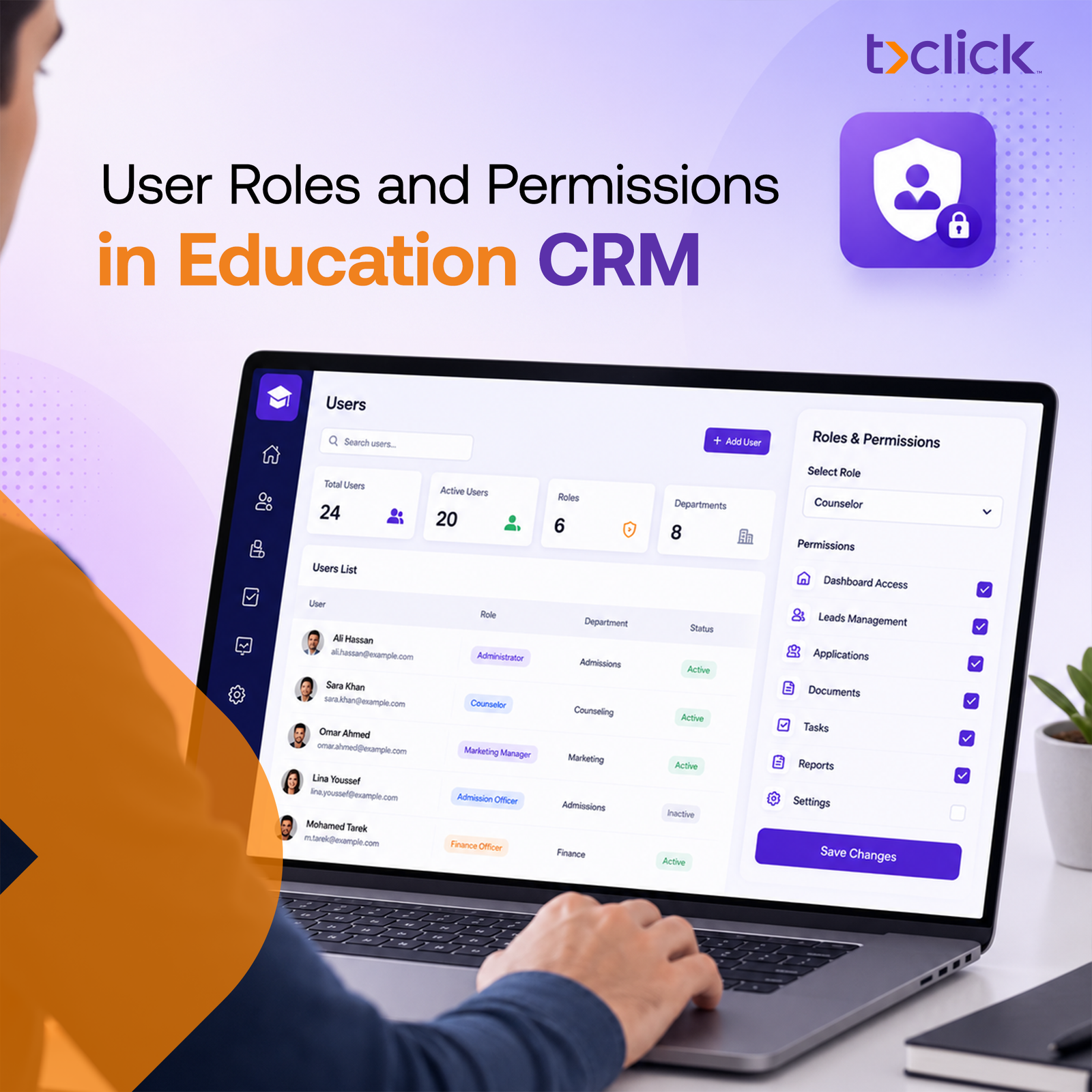
Managing an education agency involves far more than recruiting students.
Every day, multiple departments work together to support prospective students throughout their journey—from the first inquiry to enrollment. Recruitment consultants communicate with leads, admissions officers review applications, finance teams manage invoices and payments, visa specialists handle immigration requirements, while managers monitor overall performance.
Although these teams collaborate toward the same goal, they don’t all require access to the same information.
For example, a recruitment consultpayments, andeed to view student profiles and consultation history but shouldn’t be able to modify financial records. Similarly, a finance manager should have access to invoices and payment information without viewing confidential recruitment notes or internal admissions decisions.
When every employee has unrestricted access to the CRM, organizations expose themselves to unnecessary operational risks. Sensitive student information can be modified accidentally, confidential financial records may become accessible to unauthorized users, and accountability becomes difficult when multiple employees can edit the same data.
This is why user roles and permissions in education CRM have become a fundamental requirement for modern education agencies.
A role-based permission system ensures that every employee has access only to the information and tools necessary to perform their responsibilities. Instead of limiting collaboration, it creates a more secure, organized, and efficient working environment where every department can perform its role without compromising data security.
Beyond protecting sensitive information, user roles improve operational efficiency by simplifying workflows, reducing human error, and creating clear accountability across the organization.
In this guide, we’ll explore how user roles and permissions work within an education CRM, why they are essential for education agencies, the different access levels organizations typically use, and the security features every modern education CRM should provide.
What Are User Roles and Permissions in an Education CRM?
As education agencies grow, more employees become involved in the student recruitment process.
Recruitment consultants, admissions officers, finance teams, visa specialists, marketing departments, branch managers, and executives all interact with the CRM differently.
Giving every employee unrestricted access might seem convenient, but it creates significant operational and security challenges.
Instead, modern education CRMs use Role-Based Access Control (RBAC) to ensure users only access the information required for their responsibilities.
This approach protects student data while making daily operations more efficient.
Understanding User Roles
A user role defines the responsibilities of a specific employee or department inside the CRM.
Rather than assigning permissions one by one to every employee, administrators create predefined roles that include the permissions required for each position.
For example:
| Role | Primary Responsibility |
| Recruitment Consultant | Manage leads and student communication |
| Admissions Officer | Process applications and documents |
| Visa Specialist | Track visa requirements and deadlines |
| Finance Manager | Manage invoices and payments |
| Marketing Manager | Monitor campaigns and lead sources |
| Agency Administrator | Configure the CRM and manage users |
This approach makes user management significantly easier, especially for agencies with multiple offices or growing teams.
What Are User Permissions?
Permissions define what each user can actually do inside the CRM.
Instead of describing a person’s job, permissions control access to specific modules, records, and actions.
Permissions typically determine whether users can:
- View information
- Create new records
- Edit existing records
- Delete records
- Export reports
- Approve workflows
- Access financial information
- Manage user accounts
For example, two employees may both work in Admissions, but only the admissions manager may have permission to approve final application submissions.
User Roles vs User Permissions
Although these terms are closely related, they serve different purposes.
| User Roles | User Permissions |
| Define a user’s responsibilities | Define what the user can access or modify |
| Assigned to employees | Assigned through roles |
| Group multiple permissions together | Control individual actions |
| Simplify user management | Protect sensitive information |
| Easy to scale across departments | Highly customizable |
Think of a role as a job title, while permissions determine the specific keys that unlock different parts of the CRM.
Why Role-Based Access Matters
Education agencies manage highly sensitive information every day.
Their CRM may contain:
- Student passports
- Academic transcripts
- Financial records
- Visa documents
- Payment history
- Internal recruitment notes
- University agreements
- Personal identification information
Not every employee should have unrestricted access to these records.
Role-Based Access Control (RBAC) ensures sensitive information remains protected while allowing each department to perform its work efficiently.
This approach strengthens security without slowing collaboration.
How User Roles Support Education Agencies
A well-designed permission structure benefits every department.
Recruitment teams can focus on lead management without seeing confidential financial records.
Admissions officers can process applications without modifying marketing campaigns.
Finance teams can manage invoices and payment records while remaining separate from recruitment activities.
Managers receive reporting dashboards without needing to edit operational data.
Meanwhile, administrators maintain complete oversight while controlling access across the organization.
This creates a balance between security, efficiency, and collaboration, allowing agencies to scale confidently while protecting both student information and internal operations.
Why User Roles and Permissions Matter More as Your Agency Grows
One of the biggest mistakes growing education agencies make is assuming that the same access structure that worked for a five-person team will continue to work for a team of fifty.
As organizations expand, they typically:
- Open new branches
- Hire specialized departments
- Recruit students across multiple countries
- Work with more university partners
- Handle larger volumes of sensitive data
Without structured permissions, operational risks increase significantly.
The larger the organization becomes, the more important it is to ensure that employees only access the information necessary for their responsibilities.
Example: How Different Teams Use the Same CRM
| Department | Primary Focus | Should Access Financial Data? | Should Edit Student Applications? |
| Recruitment | Leads & consultations | ❌ | Limited |
| Admissions | Applications & documents | ❌ | ✅ |
| Visa Team | Visa processing | ❌ | View Only |
| Finance | Payments & invoices | ✅ | ❌ |
| Marketing | Campaigns & lead sources | ❌ | ❌ |
| Management | Reports & performance | Limited | View Only |
| CRM Administrator | System management | ✅ | ✅ |
What Are User Permissions?
While a user role defines an employee’s responsibilities, user permissions determine exactly what that employee can do within the CRM.
Permissions control access to specific modules, records, and actions, ensuring users only interact with the information relevant to their job.
Depending on their assigned role, a user may be allowed to:
- View student records
- Create new applications
- Edit existing information
- Upload or approve documents
- Generate invoices
- Access reports and dashboards
- Manage other users
- Export sensitive data
This level of control allows education agencies to protect confidential information while enabling employees to perform their daily responsibilities efficiently.
For example, a recruitment consultant may be able to create and update lead records but won’t have permission to modify payment information or manage user accounts.
User Roles vs User Permissions
Although these concepts work together, they serve different purposes within an education CRM.
| User Roles | User Permissions |
| Define an employee’s responsibilities | Define what the employee can access or modify |
| Assigned to users based on their position | Applied automatically through the assigned role |
| Organize teams within the CRM | Control access to modules, records, and actions |
| Simplify user management | Protect sensitive student and business data |
| Easy to scale across departments | Highly customizable for different workflows |
Think of a user role as a job title, while permissions represent the keys that unlock specific parts of the CRM.
Why Role-Based Access Matters
Education agencies manage large volumes of confidential information every day.
A single student profile may contain:
- Personal identification details
- Passport copies
- Academic transcripts
- English proficiency certificates
- Financial documents
- Payment history
- Visa records
- Internal counseling notes
- University offers
- Scholarship information
Not every employee should have unrestricted access to all this information.
Role-Based Access Control (RBAC) ensures that employees only access the data required for their responsibilities.
This improves security while making collaboration more organized and efficient.
Why Education Agencies Need Role-Based Access Control
As education agencies expand, they often introduce new departments, open additional branches, and manage students applying to universities across multiple countries.
Without structured permissions, the risk of operational errors and unauthorized access increases significantly.
Role-based access control helps agencies maintain security while supporting efficient collaboration between teams.
Protect Sensitive Student Information
Education agencies are responsible for safeguarding highly confidential student data.
Unauthorized access to passports, financial records, visa documents, or academic transcripts can create both operational and compliance risks.
By assigning permissions based on roles, agencies ensure that sensitive information is only accessible to authorized employees.
Improve Operational Security
Limiting access reduces the likelihood of accidental or unauthorized changes to important records.
For example:
- Recruitment consultants shouldn’t edit invoices.
- Finance teams shouldn’t modify application decisions.
- Marketing staff shouldn’t access visa documents.
Restricting access helps maintain data integrity throughout the recruitment process.
Reduce Human Error
Many operational mistakes occur simply because employees have access to information they don’t need.
Role-based permissions minimize these risks by limiting editing capabilities to the appropriate departments.
This creates cleaner data and reduces the likelihood of accidental deletions or incorrect updates.
Strengthen Team Collaboration
Contrary to popular belief, limiting access actually improves collaboration.
Each department works within clearly defined responsibilities while sharing the information necessary to move students through the recruitment journey.
This creates smoother workflows and reduces confusion between teams.
Support Compliance and Data Privacy
Many countries enforce strict regulations regarding the collection, storage, and processing of personal data.
Role-based permissions help agencies demonstrate that sensitive information is accessed only by authorized personnel, supporting internal security policies and broader privacy compliance efforts.
Improve Accountability
Knowing exactly who viewed, edited, approved, or updated a record creates greater accountability across the organization.
When permissions are combined with activity logs, managers can easily monitor system usage and investigate changes when necessary.
👉 Discover how an encrypted CRM helps education agencies protect sensitive student data.
Benefits of Role-Based Access at a Glance
| Benefit | Business Impact |
| Better data security | Protects confidential student information |
| Controlled system access | Reduces unauthorized changes |
| Clear responsibilities | Improves team accountability |
| Lower operational risk | Minimizes human error |
| Easier collaboration | Departments work more efficiently |
| Stronger compliance | Supports privacy and security policies |
Common User Roles in Education Agencies
Every education agency has its own organizational structure, but most teams share a similar set of roles within their CRM.
Each role requires different permissions based on day-to-day responsibilities.
In the following sections, we’ll explore the most common user roles found in education agencies and the level of access each typically requires.
Common User Roles in Education Agencies
Although every education agency has its own organizational structure, most teams share similar responsibilities throughout the student recruitment lifecycle.
Each department contributes to the student’s journey differently, meaning each role requires a different level of access within the CRM.
Designing permissions around responsibilities—not individuals—helps agencies improve security, reduce confusion, and simplify user management as teams grow.
Agency Administrator
The Agency Administrator has the highest level of access within the CRM.
This role is responsible for configuring the system, managing users, assigning permissions, and ensuring the platform operates efficiently across the organization.
Typical permissions include:
- Create and manage user accounts
- Configure user roles and permissions
- Access all CRM modules
- View organization-wide reports
- Manage workflows and automation
- Configure integrations
- Monitor system activity
Because this role has unrestricted access, it should only be assigned to a limited number of trusted users.
Recruitment Consultant
Recruitment consultants are usually the first point of contact for prospective students.
Their primary responsibility is to nurture leads, conduct consultations, and guide students toward suitable study opportunities.
Typical permissions include:
- View and manage assigned leads
- Create consultation notes
- Update recruitment stages
- Schedule appointments
- Communicate with students
- Upload recruitment-related documents
Recruitment consultants typically should not have permission to edit financial records, configure the CRM, or manage user accounts.
Admissions Officer
Admissions teams oversee the application process after a student decides to apply.
They ensure applications are complete before submitting them to partner institutions.
Typical permissions include:
- Review applications
- Manage document checklists
- Upload admission documents
- Update application status
- Communicate with universities
- Track offer letters
They generally don’t require access to marketing campaigns or CRM administration settings.
Visa Specialist
Visa specialists focus exclusively on immigration-related processes.
Their work involves managing deadlines, reviewing visa documentation, and ensuring students meet embassy requirements.
Typical permissions include:
- View student application status
- Access visa documentation
- Update visa milestones
- Schedule embassy appointments
- Monitor visa deadlines
- Record visa outcomes
Restricting their access to visa-related information keeps workflows organized while protecting unrelated student data.
Finance Team
The finance department manages all payment-related activities throughout the student journey.
Typical permissions include:
- Generate invoices
- Record payments
- Manage installment plans
- Issue receipts
- Process refunds
- View financial reports
Finance teams generally don’t require permission to modify recruitment pipelines or admissions decisions.
Marketing Team
Marketing teams focus on generating new student inquiries rather than managing applications.
Their permissions usually include:
- View marketing dashboards
- Monitor campaign performance
- Analyze lead sources
- Access inquiry statistics
- Create marketing reports
Student financial records, visa documents, and admissions files are typically outside the scope of this role.
Student Support Team
After enrollment, many agencies continue supporting students with onboarding and pre-departure services.
Student support staff may need permission to:
- View enrolled student profiles
- Track onboarding progress
- Schedule orientation sessions
- Respond to student inquiries
- Update support activities
This role focuses on student success without requiring access to recruitment management or financial administration.
Branch Managers
For agencies operating across multiple offices or countries, branch managers need visibility into their own teams without accessing data from the entire organization.
Typical permissions include:
- View branch performance
- Monitor consultant activity
- Review recruitment reports
- Approve selected workflows
- Manage users within their branch
Branch-based permissions help maintain operational control while supporting organizational growth.
Executive Management
Senior leadership typically requires strategic visibility rather than operational control.
Executives often need access to:
- Recruitment dashboards
- Enrollment statistics
- Revenue reports
- Team performance metrics
- Pipeline forecasts
In many cases, executives only require view-only access, allowing them to monitor business performance without modifying operational data.
👉 Learn how payment management software streamlines student payments and financial operations.
Example User Access Matrix
The following example illustrates how different departments can access the same CRM while maintaining appropriate security controls.
| CRM Module | Recruitment | Admissions | Visa | Finance | Marketing | Admin |
| Student Profiles | ✅ Edit | ✅ Edit | 👁 View | 👁 View | ❌ | ✅ Full |
| Lead Management | ✅ | 👁 View | ❌ | ❌ | 👁 View | ✅ |
| Applications | 👁 View | ✅ Edit | 👁 View | ❌ | ❌ | ✅ |
| Documents | 👁 View | ✅ Edit | ✅ Edit | 👁 View | ❌ | ✅ |
| Payments | 👁 View | 👁 View | ❌ | ✅ Edit | ❌ | ✅ |
| Reports | Limited | Limited | Limited | Financial | Marketing | Full |
| User Management | ❌ | ❌ | ❌ | ❌ | ❌ | ✅ |
Best Practice: Grant users the minimum level of access required to perform their responsibilities. This “least privilege” approach strengthens security while keeping workflows efficient.
Benefits of User Roles and Permissions
A well-designed permission structure does more than protect sensitive information—it helps education agencies operate more efficiently, collaborate more effectively, and scale with confidence.
When every employee has access to the right information—and only the right information—teams can focus on their responsibilities without creating unnecessary operational or security risks.
Better Data Security
Role-based permissions protect confidential student records by limiting access to authorized users only.
This significantly reduces the risk of unauthorized viewing, editing, or sharing of sensitive information.
Controlled Access to Sensitive Information
Different departments require access to different types of data.
Role-based permissions ensure that financial records, visa documents, contracts, and administrative settings remain accessible only to the appropriate teams.
Improved Team Productivity
When employees only see the modules relevant to their work, they spend less time navigating the CRM and more time completing meaningful tasks.
A cleaner interface also reduces training time for new staff.
Easier Collaboration
Departments can work together using the same CRM without interfering with one another’s responsibilities.
Recruitment, admissions, finance, and visa teams each contribute to the student journey while maintaining clear operational boundaries.
Reduced Operational Risk
Limiting editing privileges minimizes accidental changes, duplicate records, and data inconsistencies.
This creates a more reliable and trustworthy database as the agency grows.
Better Audit Trails
Because every action is linked to a specific user, managers can easily identify who viewed, updated, or approved important records.
This improves accountability and supports internal governance.
Simplified Team Management
Instead of configuring permissions individually for every employee, administrators can assign predefined roles.
This makes onboarding faster, reduces configuration errors, and simplifies user management across multiple offices.
Essential Permission Features Every Education CRM Should Include
An effective education CRM should provide flexible permission controls that protect sensitive data without slowing down daily operations.
Key features include:
- Role-Based Access Control (RBAC) to assign permissions based on job roles.
- Custom User Roles for different departments and responsibilities.
- Module-Level Permissions to control access to specific CRM modules.
- Approval Workflows for sensitive actions such as refunds or application approvals.
- Activity Logs to track user actions and improve accountability.
- Branch-Based Access for agencies operating across multiple offices.
- Two-Factor Authentication (2FA) to enhance account security.
CRM Security Checklist
| Feature | Essential |
| Role-Based Access Control | ✅ |
| Custom User Roles | ✅ |
| Module Permissions | ✅ |
| Activity Logs | ✅ |
| Two-Factor Authentication | ✅ |
| Approval Workflows | ✅ |
| Branch-Based Access | ✅ |
Best Practices for Managing User Roles
To maintain a secure and efficient CRM environment, education agencies should:
- Grant employees only the access they need.
- Review user permissions regularly.
- Remove access immediately when employees leave.
- Enable activity logs for sensitive actions.
- Train staff on data security best practices.
A well-managed permission structure keeps operations organized while protecting confidential student information.
👉 Discover how task automation improves productivity across education agencies.
Why Ticlick Provides Flexible User Permissions
Ticlick is designed specifically for education organizations, allowing agencies to manage access securely across recruitment, admissions, finance, visa processing, and management teams.
With Ticlick, agencies can:
- Create custom user roles
- Assign permissions by department or branch
- Protect sensitive student and financial data
- Monitor user activity with audit logs
- Scale permission management as teams grow
This ensures every employee has the right level of access while maintaining security and operational efficiency.
Frequently Asked Questions
What are user roles in an education CRM?
User roles define each employee’s responsibilities and determine which permissions they receive within the CRM.
Why are permissions important?
Permissions protect sensitive student data, reduce human error, and ensure employees only access information relevant to their role.
Can different departments have different access levels?
Yes. Recruitment, admissions, finance, marketing, and management teams can each have customized permissions based on their responsibilities.
What is Role-Based Access Control (RBAC)?
RBAC is a security model that assigns permissions according to predefined user roles, making access management more secure and scalable.
Can administrators create custom roles?
Yes. Most modern education CRMs, including Ticlick, allow administrators to create custom roles and adjust permissions as organizational needs change.
Conclusion
As education agencies grow, managing user access becomes just as important as managing students. A well-structured permission system protects sensitive information, improves collaboration, and reduces operational risks by ensuring employees only access the data they need.
With a CRM like Ticlick, agencies can implement flexible role-based permissions, strengthen data security, and streamline collaboration across recruitment, admissions, finance, and student support teams—all within one centralized platform.